
Overview
The
brief
Toru + Naoko is a lingerie brand founded in Chile that focuses on sustainability and size inclusivity. This project involved redesigning their digital presence to create a responsive, and functional shopping experience.
The goal of this project was to rebuild the site from scratch: a custom-coded, database-driven website that matched the brand's aesthetic, provided an improved shopping and account experience, and gave the admin team direct control over inventory through a secure backend panel with no third-party platform needed.
Responsibilities
What I
did
My focus was the frontend experience and backend integration, building the UI from a wireframe and box model foundation through to a live, database-connected system.
UI & Frontend
Built the complete site UI using HTML, CSS, Bootstrap 5, Swiper.js and vanilla JavaScript. Including the hero carousels, responsive product grids, multi-step registration form, and contact page.
PHP Backend
Implemented server-side logic using PHP: admin authentication, product filtering, user registration with password_hash(), login validation, and a favorites section with restricted access control.
Database Design
Designed and built MySQL tables defining field types, relationships, and constraints. Wrote all MySQLi and queries connecting the frontend forms to the database.
Planning Phase
Site
Architecture
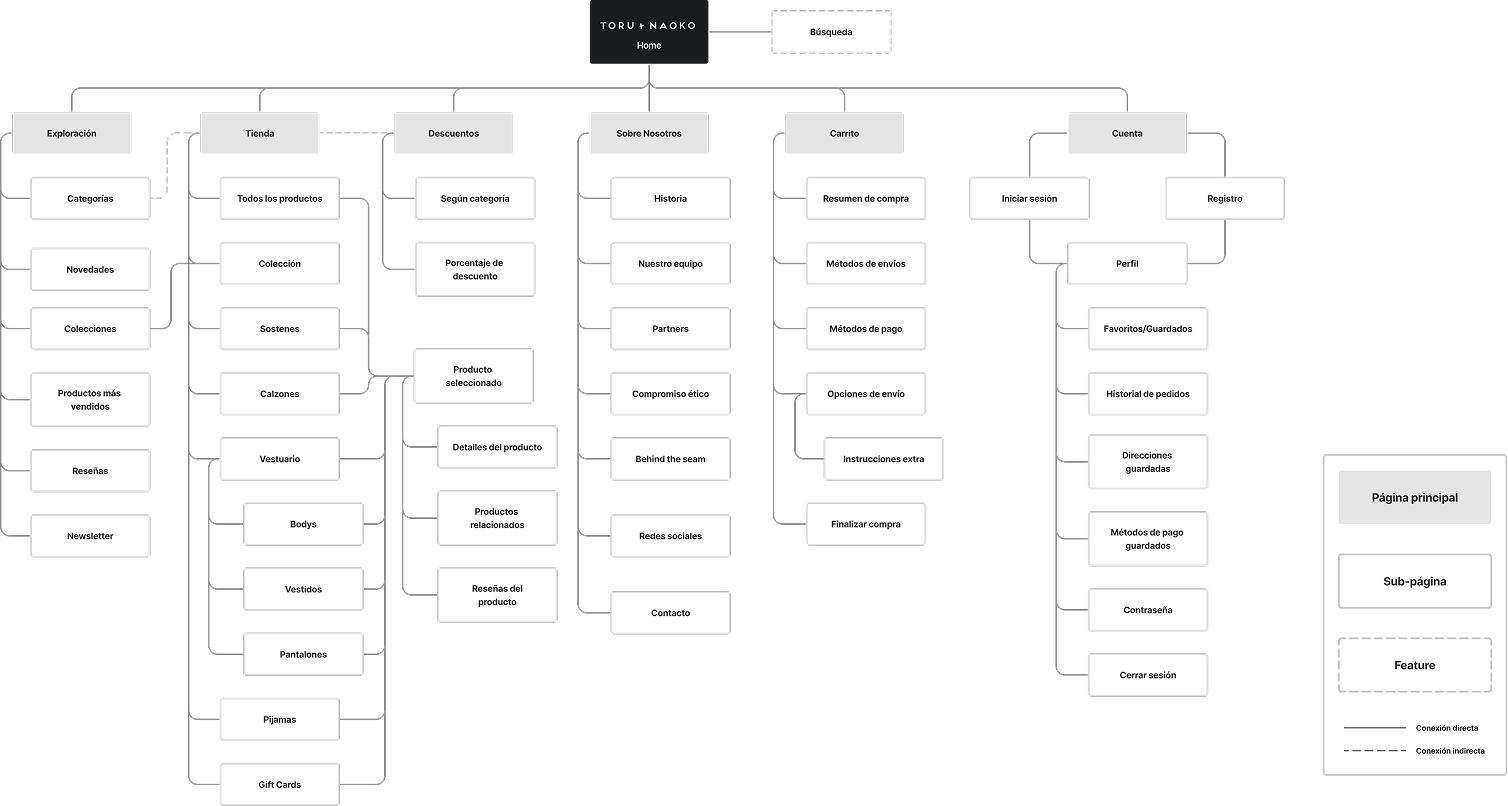
Full site map defined upfront, establishing page hierarchy, user flows for shopping and account management, and how the admin panel connects to the public-facing store.
Sketches and wireframes by hand before any code was written. A box model diagram mapped the structure of each page to ensure sound layouts from the start.
Three core objectives shaped every decision: reflect the branding through the application of CSS styles, improve navigation, create a responsive system, and move from static pages to a PHP-driven database.
Planning
Information
Architecture
Before writing any code, the complete site map was defined, establishing the hierarchy of pages, user flows for shopping and account management, and how the admin panel connected to the public-facing store.
The Interface
Developed
Pages
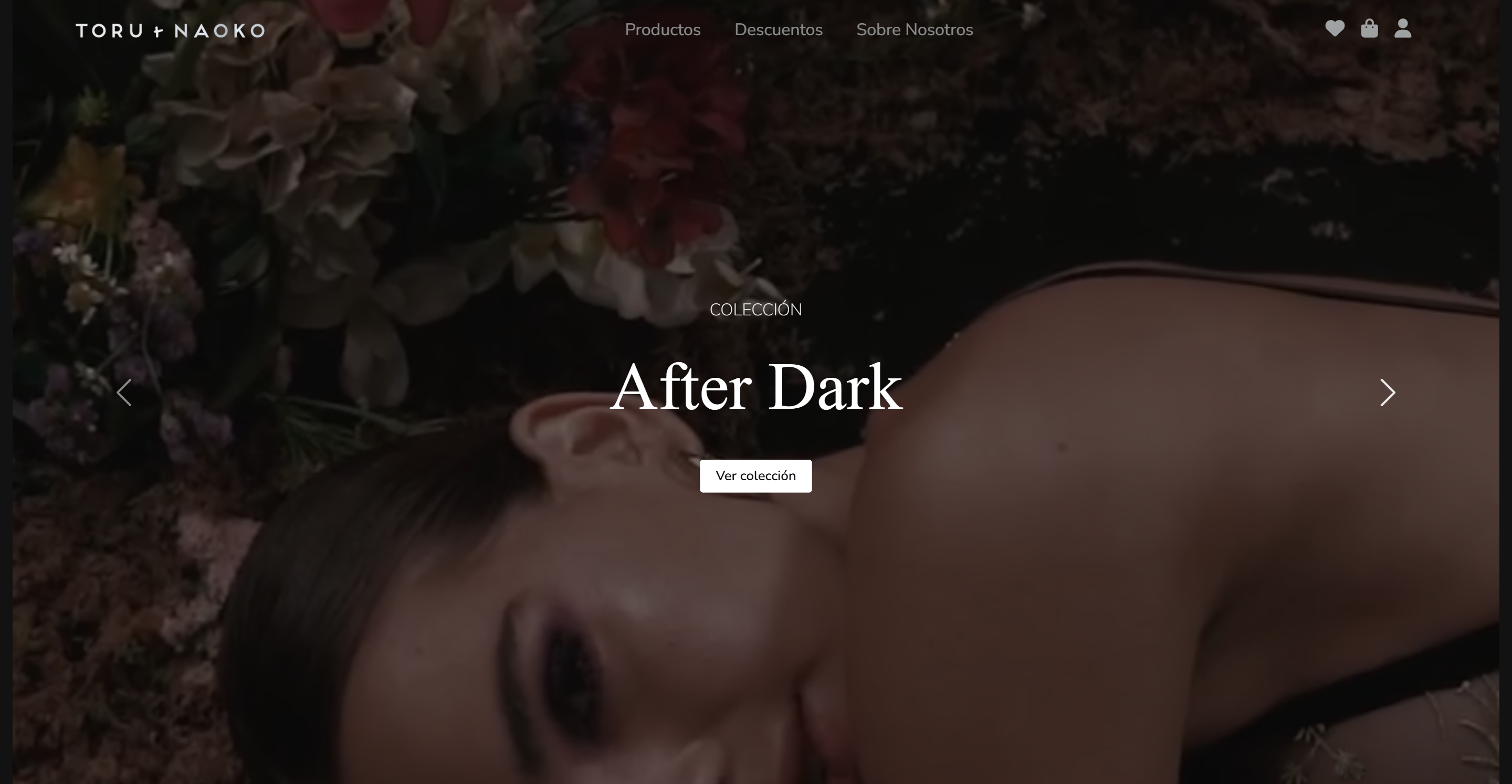
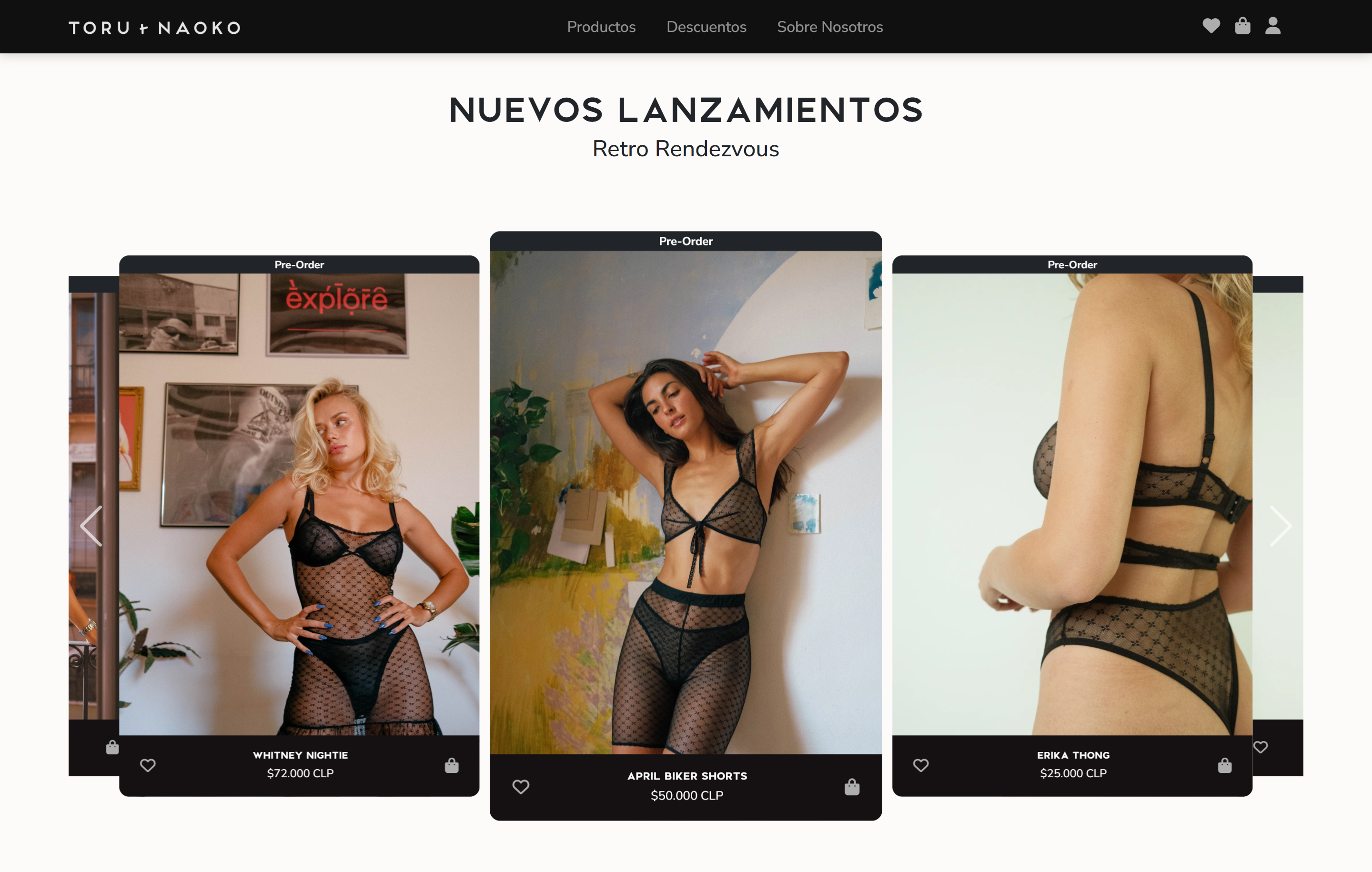
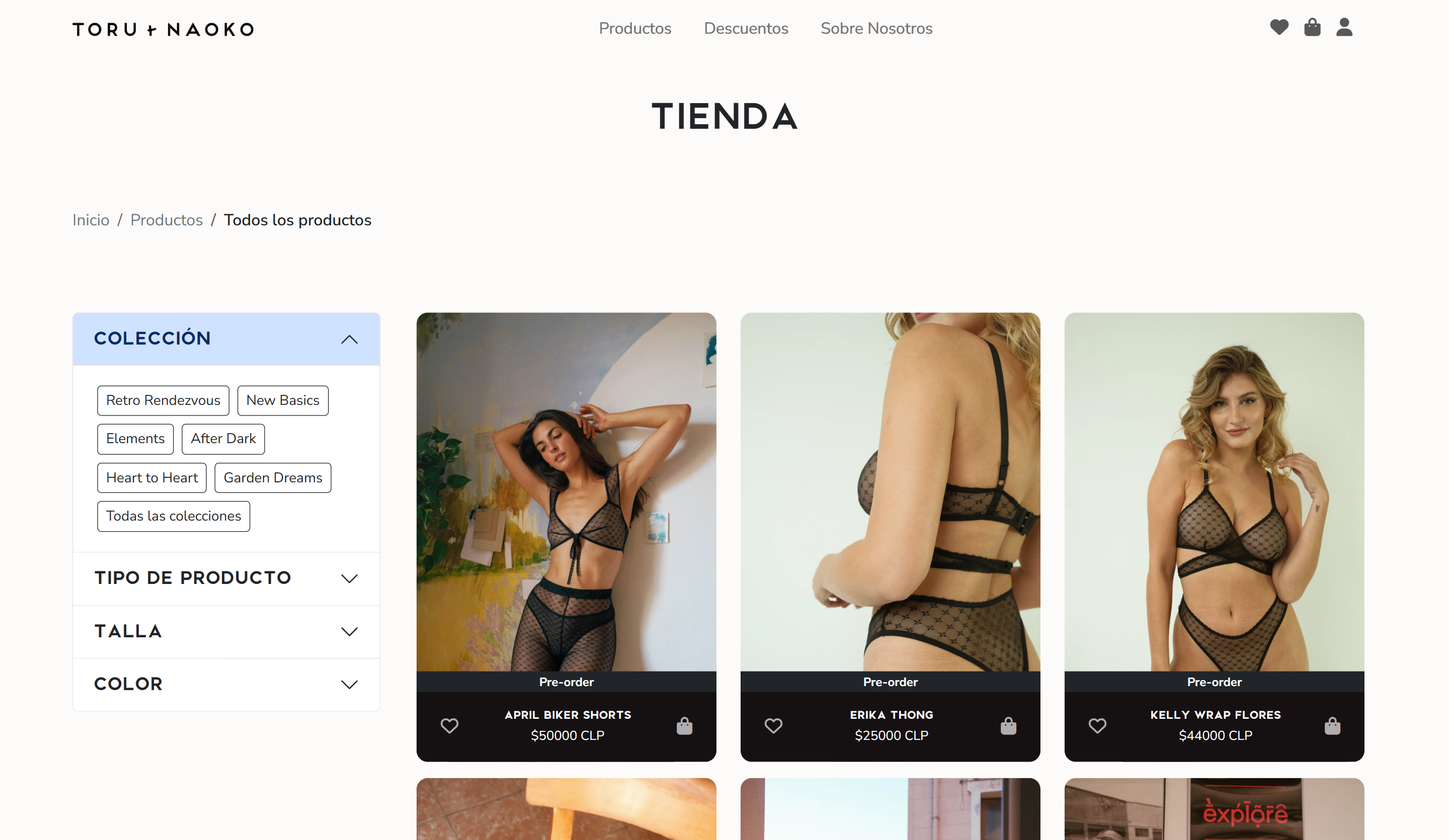
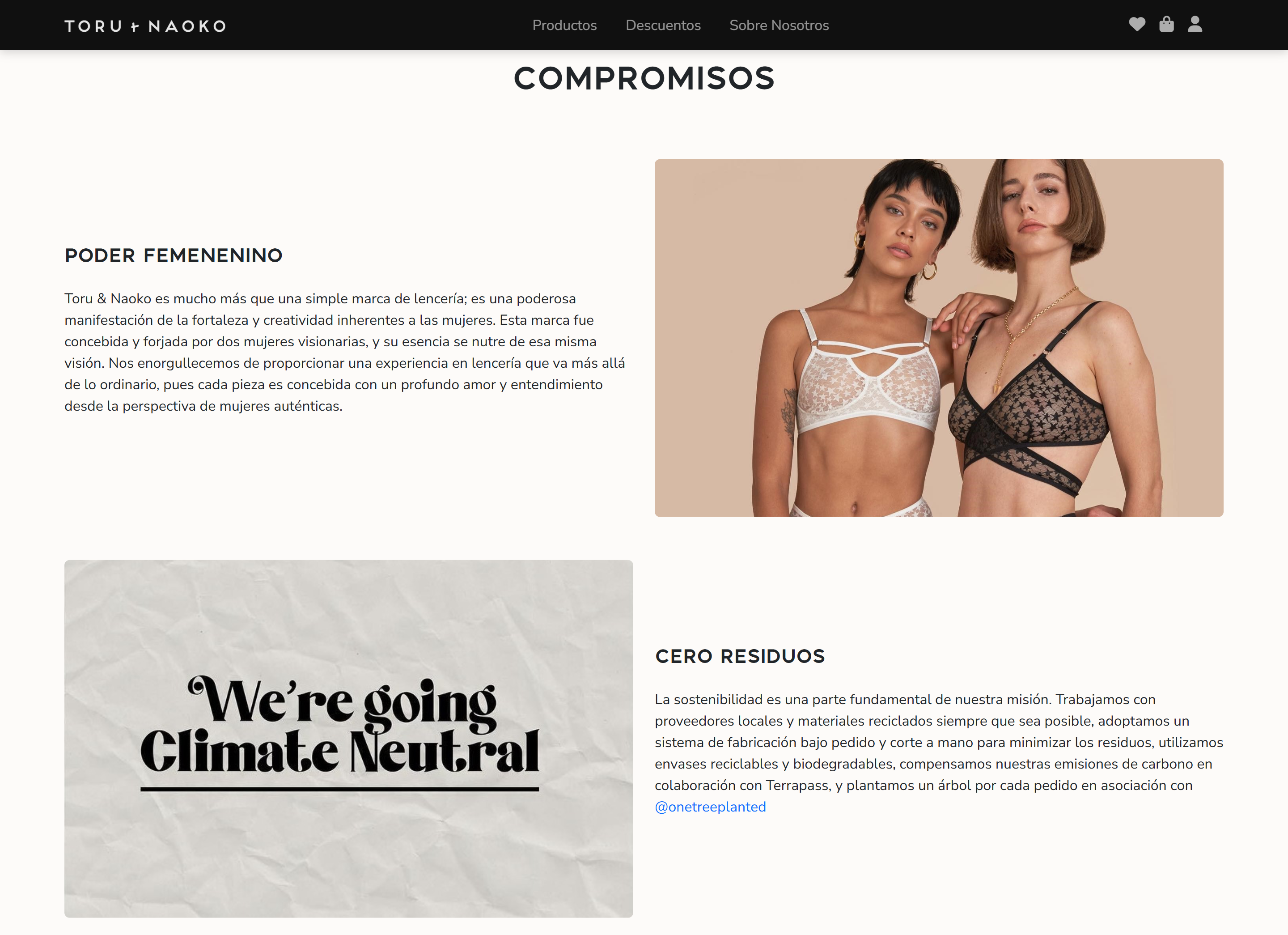
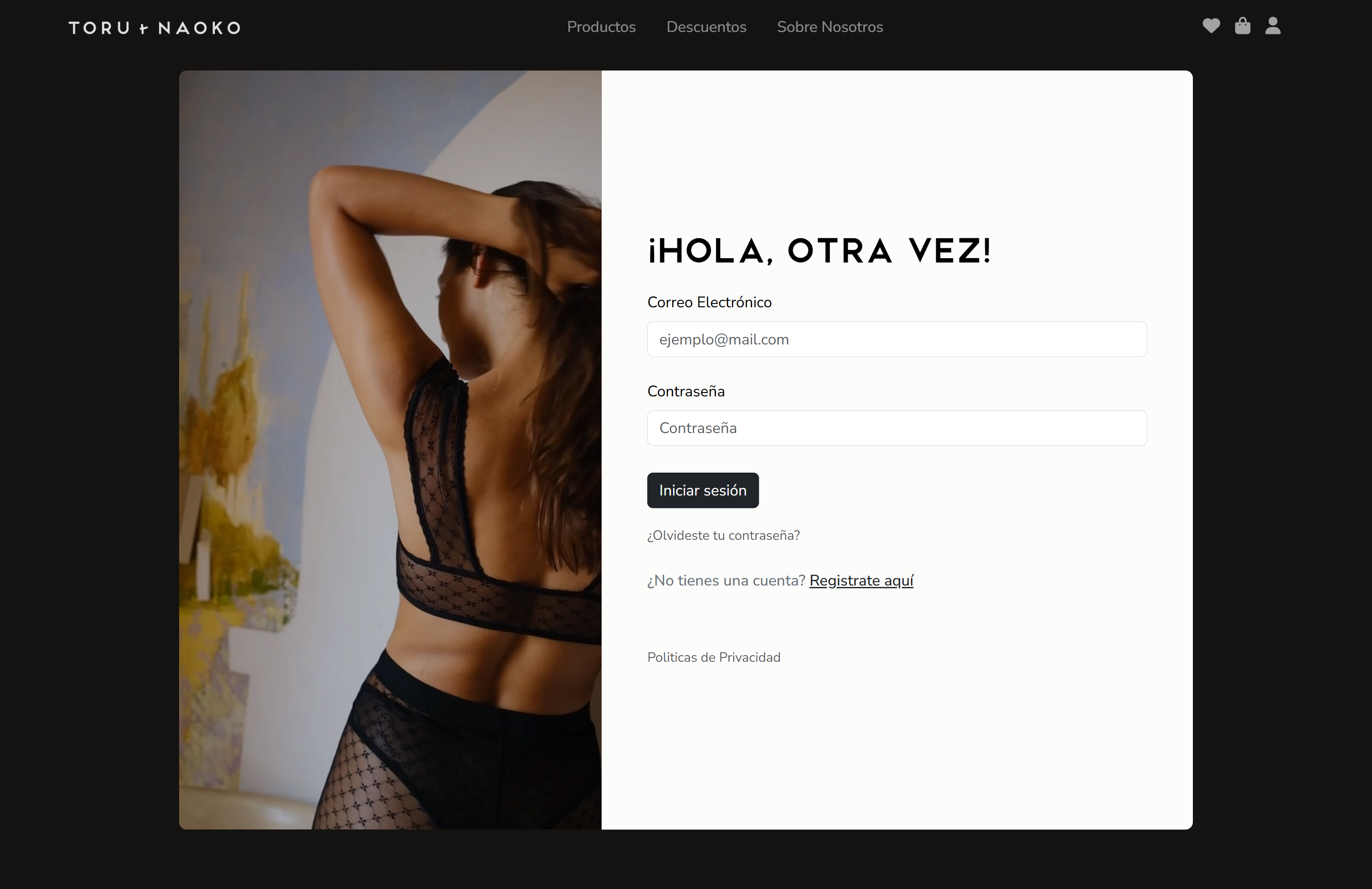
Screenshots of the final developed product with the visual identity of the brand.
Technical Implementation
Dynamic
Frontend with PHP
Dynamic shop page fetches all product data from a MySQL database, making the store fully manageable from the admin panel.
Filtering system using URL GET variables allows users to browse by Collection, Category, or Color without reloading the entire page structure.
Three-step registration form built in JavaScript, managing the DOM across Personal Data, Shipping Addresses, and Password Security steps, with a progress bar and custom validation logic.
Backend
Secure User
Experience
A full backend-to-frontend loop for user accounts and admin management — handling authentication, session protection, and error feedback in a cohesive system.
Password Hashing
Secure credential storage using password_hash with a cost factor of 10 — ensuring user passwords are never stored in plain text.
Session Management
A protected admin panel built with PHP session_start() — allowing secure product uploads and inventory management behind an authenticated layer.
Error Handling
Custom UI alerts for "Incorrect Password" or "User Not Found" states using Bootstrap's dismissible alert components communicating errors clearly without breaking the flow.
Outcomes & Reflection
What this
taught me
This was my first time building a complete, multi-page website with a real database behind it. The biggest shift was learning to think in terms of data flow — not just how a page looks, but how information moves from a form, through PHP, into a table, and back out as rendered content. That mental model has fundamentally changed how I approach frontend work.
If I were to continue this project, I would introduce parameterized prepared statements to prevent SQL injection, add hashed session tokens for more secure authentication, and explore a proper cart and checkout flow. The favourites section was also a strong foundation for a full wishlist feature connected to user accounts.